# CrossPoint Reader (Mod)
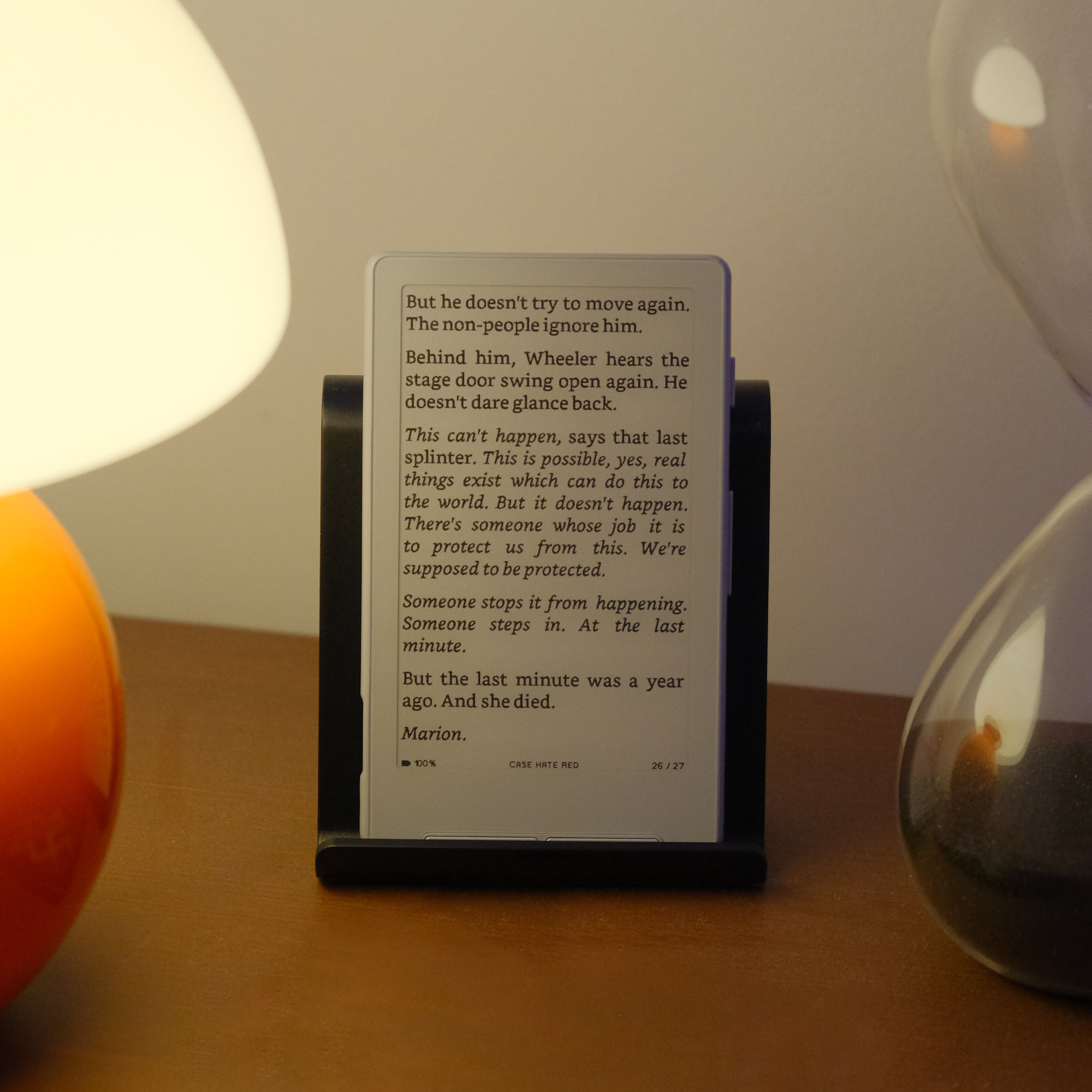
A modified fork of [CrossPoint Reader](https://github.com/crosspoint-reader/crosspoint-reader) for the **Xteink X4**
e-paper display reader. Built using **PlatformIO** and targeting the **ESP32-C3** microcontroller.
This mod is maintained on the `mod/master` branch and tracks upstream `master`. It ports upstream PRs ahead of merge
and adds features not yet available in the official project, including bookmarks, dictionary lookup, a clock, book
management with archiving, an overhauled reader menu, and various rendering and performance improvements.
> **Upstream:** [crosspoint-reader/crosspoint-reader](https://github.com/crosspoint-reader/crosspoint-reader)
## Motivation
E-paper devices are fantastic for reading, but most commercially available readers are closed systems with limited
customisation. The **Xteink X4** is an affordable, e-paper device, however the official firmware remains closed.
CrossPoint exists partly as a fun side-project and partly to open up the ecosystem and truly unlock the device's
potential.
CrossPoint Reader aims to:
* Provide a **fully open-source alternative** to the official firmware.
* Offer a **document reader** capable of handling EPUB content on constrained hardware.
* Support **customisable font, layout, and display** options.
* Run purely on the **Xteink X4 hardware**.
This mod exists to iterate faster on features and fixes while upstream reviews and merges PRs at its own pace. It is
**not affiliated with Xteink** or the upstream CrossPoint project; it's a personal fork built on top of their work.
## History
This mod was forked at [#46c2109](https://github.com/crosspoint-reader/crosspoint-reader/commit/46c2109f1fe5cb41ef1a84a15eeb3db64cdca082). A major sync took place at v1.1.0-rc.
## Features & Usage
This is not all-inclusive, but in general:
- [x] EPUB parsing and rendering (EPUB 2 and EPUB 3)
- [x] Image support within EPUB (JPEG and PNG)
- [x] Table rendering within EPUB
- [x] Saved reading position
- [x] Bookmarks (add, remove, navigate with snippet preview)
- [x] Dictionary lookup (offline, StarDict format)
- [x] File explorer with file picker
- [x] Basic EPUB picker from root directory
- [x] Support nested folders
- [x] File extensions displayed
- [x] Expandable selected row for long filenames
- [ ] EPUB picker with cover art
- [x] Book management (archive, unarchive, delete, reindex)
- [x] Clock display (12h/24h, NTP sync, timezone support)
- [x] Custom sleep screen
- [x] Cover sleep screen
- [x] Letterbox fill modes (Solid, Dithered, None) with per-book override
- [x] Placeholder covers for books without embedded cover images
- [x] Wifi book upload
- [x] Wifi OTA updates
- [x] Configurable font, layout, and display options
- [ ] User provided fonts
- [ ] Full UTF support
- [x] Screen rotation (Portrait, Landscape CW, Inverted, Landscape CCW)
- [x] End-of-book interactive menu
- [x] Silent background chapter pre-indexing
Multi-language support: Read EPUBs in various languages, including English, Spanish, French, German, Italian, Portuguese, Russian, Ukrainian, Polish, Swedish, Norwegian, [and more](./USER_GUIDE.md#supported-languages).
See [the user guide](./USER_GUIDE.md) for instructions on operating CrossPoint.
For more details about the scope of the project, see the [SCOPE.md](SCOPE.md) document.
## What This Mod Adds
This section describes features and improvements in the mod that are not present in upstream CrossPoint Reader.
### Reading Enhancements
* **Bookmarks** — Save and remove bookmarks per book. Each bookmark stores a snippet (first sentence) for quick
identification. A ribbon indicator marks bookmarked pages. Navigate bookmarks via the reader menu.
* **Dictionary lookup** — Offline word lookup using StarDict-format dictionaries stored in `/.dictionary/` on the SD
card. Supports stemming, fuzzy matching, edit-distance suggestions, and lookup history. The dictionary index is cached
to a binary file for fast subsequent access.
* **Table rendering** — EPUB tables render with column alignment, colspan support, HTML/CSS width hints, cell padding,
borders, and `
` line breaks within cells. Full-width spanning cells are center-aligned.
* **End-of-book menu** — An interactive menu at the end of a book (Archive, Delete, Back to Beginning, Close) replaces
the static end-of-book text.
* **Long-press Confirm** — While reading, long-pressing Confirm opens the Table of Contents directly, bypassing the
reader menu.
### Home Screen & Navigation
* **Clock** — Displays in all screen headers. Configurable format (off, 12h AM/PM, 24h) and size (small, medium,
large). Supports NTP time sync over WiFi, timezone presets (UTC, US time zones), and custom UTC offset.
* **Adaptive home screen** — Book card sizing adjusts based on cover aspect ratio. The home screen integrates with
recent books and book management.
* **File browser improvements** — File extensions are shown alongside filenames. When a selected filename overflows the
row width, the row expands to two lines with smart text wrapping (breaks at dashes/separators, then word boundaries,
then character-level).
* **Long-press shortcuts** — Long-press on a book in the home screen or recents opens the book management menu.
Long-press on "Browse Files" opens the archive browser (`/.archive/`).
### Book Management
* **Archive** — Move books to `/.archive/` on the SD card, preserving directory structure. Unarchive restores them to
their original location.
* **Manage Book menu** — A popup menu accessible from the home screen, file browser, recents, reader menu, and
end-of-book menu. Actions include archive/unarchive, delete book, delete cache, reindex, and full reindex.
* **Recent books** — A dedicated recent books list with book management integration.
### Reader Menu
* **Long-press actions** — Long-press "Lookup Word" to open the Looked Up Words history. Long-press "Toggle
Orientation" to open a sub-menu for selecting any of the four orientations (Portrait, Landscape CW, Inverted,
Landscape CCW).
* **Letterbox fill** — Short-press cycles through letterbox fill modes (Default, Dithered, Solid, None). Per-book
overrides are stored in `BookSettings`.
* **Landscape CCW** — A fourth orientation option. All text rendering, button hints, and dictionary layout support
counter-clockwise landscape.
### Display & Rendering
* **Silent pre-indexing** — The next chapter is pre-indexed in the background when approaching a chapter boundary.
Configurable display mode: popup, status bar text, or status bar icon.
* **Placeholder covers** — Books without an embedded cover image get a generated placeholder (title, author, icon
layout) for the home screen and sleep screen.
* **Sleep screen letterbox fill** — Multiple fill modes for the letterbox area around cover images on the sleep screen,
with per-book override support.
### Performance
Several upstream PRs have been ported ahead of their merge into upstream `master`:
* **Byte-level framebuffer writes** — 232-470x speedup for `fillRect`, `fillRectDither`, and axis-aligned `drawLine`
operations. Upstream [PR #1055](https://github.com/crosspoint-reader/crosspoint-reader/pull/1055).
* **Word-width cache and hyphenation early exit** — 5-9% layout time reduction via a 128-entry direct-mapped cache and
monotonic early exit in the hyphenation loop. Upstream
[PR #1027](https://github.com/crosspoint-reader/crosspoint-reader/pull/1027).
* **`std::list` to `std::vector` in text layout** — 11% faster chapter parse time and ~50KB heap savings. Upstream
[PR #1038](https://github.com/crosspoint-reader/crosspoint-reader/pull/1038).
* **Combining mark rendering** — Proper rendering of decomposed Unicode characters with NFC-like precomposition for
hyphenation pattern matching. Upstream
[PR #1037](https://github.com/crosspoint-reader/crosspoint-reader/pull/1037).
* **URL hyphenation** — Long URLs can now be line-wrapped at path separators without crashing. Upstream
[PR #1068](https://github.com/crosspoint-reader/crosspoint-reader/pull/1068).
For detailed porting notes and differences from upstream, see [mod/prs/MERGED.md](mod/prs/MERGED.md). Note that this document was created well after many features were added manually so it is not all-inclusive. Sorry!
## Upstream Compatibility
This mod tracks upstream `master` and manually ports relevant PRs. Some upstream features are not present in the mod,
and the mod's build configuration differs slightly.
**Features on upstream `master` not yet in the mod:**
* Catalan language support
* Improved Spanish translations
**Build differences:**
* The `[env:mod]` build environment omits the OpenDyslexic font and some hyphenation patterns (German, Spanish, French,
Italian, Russian) to save flash space. These can be re-enabled by using `[env:default]` or removing the corresponding
`-DOMIT_*` flags.
* The mod version string is `-mod+` (e.g., `1.1.2-mod+abc1234`).
See [mod/prs/MERGED.md](mod/prs/MERGED.md) for the full list of upstream PRs ported into this mod, including what was
changed or enhanced during the port.
## Installing
This mod is built from source. There is no web flasher for the mod firmware.
Connect your Xteink X4 to your computer via USB-C, wake/unlock the device, and run:
```sh
pio run -e mod --target upload
```
You can also use `pio run -e default --target upload` for a build without the mod's flash-saving omissions (see
[Upstream Compatibility](#upstream-compatibility)).
To revert to upstream CrossPoint or the official Xteink firmware, flash via https://xteink.dve.al/ or swap back to the
other partition using the "Swap boot partition" button at https://xteink.dve.al/debug.
## Development
### Prerequisites
* **PlatformIO Core** (`pio`) or **VS Code + PlatformIO IDE**
* Python 3.8+
* USB-C cable for flashing the ESP32-C3
* Xteink X4
### Checking out the code
CrossPoint uses PlatformIO for building and flashing the firmware. To get started, clone this repository and check out
the mod branch:
```sh
git clone --recursive -b mod/master https://github.com/crosspoint-reader/crosspoint-reader
# Or, if you've already cloned without --recursive:
git submodule update --init --recursive
```
### Build environments
| Environment | Description |
| ----------- | ----------- |
| `mod` | **Recommended.** Includes serial logging, version tagging (`-mod+`), and omits some fonts/hyphenation patterns to save flash. |
| `default` | Standard upstream-equivalent build with all fonts and hyphenation patterns included. |
### Flashing your device
Connect your Xteink X4 to your computer via USB-C and run:
```sh
pio run -e mod --target upload
```
### Debugging
After flashing the new features, it’s recommended to capture detailed logs from the serial port.
First, make sure all required Python packages are installed:
```python
python3 -m pip install pyserial colorama matplotlib
```
after that run the script:
```sh
# For Linux
# This was tested on Debian and should work on most Linux systems.
python3 scripts/debugging_monitor.py
# For macOS
python3 scripts/debugging_monitor.py /dev/cu.usbmodem2101
```
Minor adjustments may be required for Windows.
## Internals
CrossPoint Reader is pretty aggressive about caching data down to the SD card to minimise RAM usage. The ESP32-C3 only
has ~380KB of usable RAM, so we have to be careful. A lot of the decisions made in the design of the firmware were based
on this constraint.
### Data caching
The first time chapters of a book are loaded, they are cached to the SD card. Subsequent loads are served from the
cache. This cache directory exists at `.crosspoint` on the SD card. The structure is as follows:
```
.crosspoint/
├── epub_12471232/ # Each EPUB is cached to a subdirectory named `epub_`
│ ├── progress.bin # Stores reading progress (chapter, page, etc.)
│ ├── cover.bmp # Book cover image (once generated)
│ ├── book.bin # Book metadata (title, author, spine, table of contents, etc.)
│ └── sections/ # All chapter data is stored in the sections subdirectory
│ ├── 0.bin # Chapter data (screen count, all text layout info, etc.)
│ ├── 1.bin # files are named by their index in the spine
│ └── ...
│
└── epub_189013891/
```
Deleting the `.crosspoint` directory will clear the entire cache.
Due the way it's currently implemented, the cache is not automatically cleared when a book is deleted and moving a book
file will use a new cache directory, resetting the reading progress.
For more details on the internal file structures, see the [file formats document](./docs/file-formats.md).
## Contributing
This is a personal mod fork. If you'd like to contribute to the upstream CrossPoint Reader project, head to the
[upstream repository](https://github.com/crosspoint-reader/crosspoint-reader) and check out the
[ideas discussion board](https://github.com/crosspoint-reader/crosspoint-reader/discussions/categories/ideas).
For more details on upstream governance and community principles, see [GOVERNANCE.md](GOVERNANCE.md).
---
CrossPoint Reader is **not affiliated with Xteink or any manufacturer of the X4 hardware**.
This mod is not **not affilitated with CrossPoint Reader**.
Huge shoutout to [**diy-esp32-epub-reader** by atomic14](https://github.com/atomic14/diy-esp32-epub-reader), which was
a project the original CrossPoint author took a lot of inspiration from.