

Important
This project was developed entirely with AI coding assistance (Google Gemini 3.1 Pro, via Cursor IDE) and has not undergone rigorous review. It is provided as-is and may require adjustments for other environments.
PI Weekly Newspaper
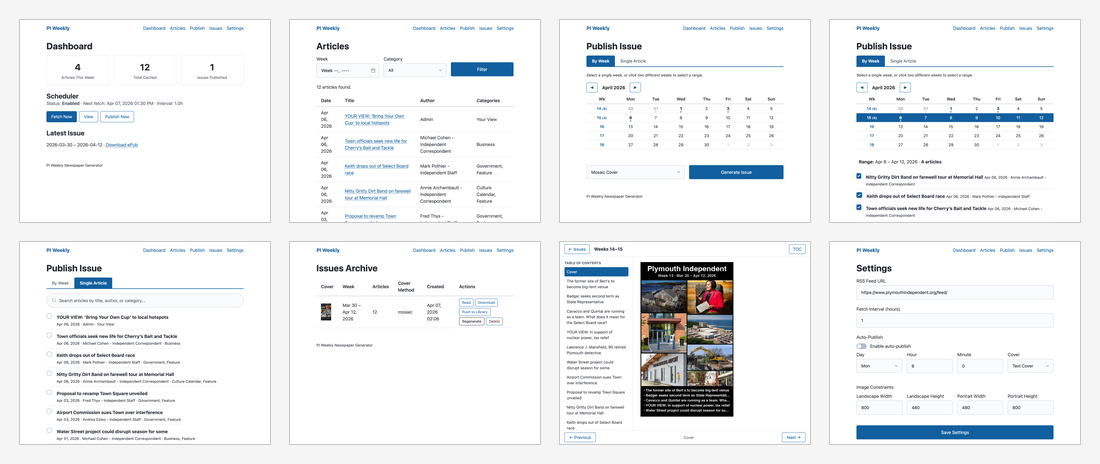
Generates weekly ePub "newspapers" from the Plymouth Independent RSS feed, optimized for the Xtreink X4 e-reader (800x480 screen).
📸 View all screenshots | 🖼️ View Interactive Gallery | 🪟 Large Mosaic

Quick Start
python -m venv .venv
source .venv/bin/activate
pip install -r requirements.txt
python run.py
Open http://localhost:5000 in your browser.
Features
- Periodic RSS fetching with configurable interval
- Automatic image processing — downloads, resizes to e-reader constraints, converts to baseline JPEG
- ePub generation with articles as chapters, table of contents, and embedded images
- Auto-generated covers Mosaic art formed with each week's article's featured images, with text fallback
- Web UI accessible from any device on your network
- Scheduled or manual publishing
Usage
- Click Fetch Now on the dashboard to pull articles
- Go to Publish, select the target week, toggle articles on/off
- Choose a cover method (Mosaic or Text) and click Generate Issue
- Download the
.epubfrom the Issues archive
Configuration
Settings are editable via the web UI at /settings, or in config.py:
FEED_URL— RSS feed URLFETCH_INTERVAL_HOURS— how often to check for new articlesIMAGE_MAX_LANDSCAPE/IMAGE_MAX_PORTRAIT— image bounding box dimensions
Integration with Grimmory / Booklore
You can automatically push generated issues to a Grimmory or Booklore instance. Create a .env file in the root directory (or set these as system environment variables):
GRIMMORY_URL=http://your-grimmory-instance:6060
GRIMMORY_USERNAME=your_username
GRIMMORY_PASSWORD=your_password
GRIMMORY_LIBRARY_ID=optional_library_id
Note: BOOKLORE_URL, BOOKLORE_USERNAME, BOOKLORE_PASSWORD, and BOOKLORE_LIBRARY_ID are also supported as deprecated fallbacks for older Booklore instances.
Access from Other Devices
The app binds to 0.0.0.0:5000, so access it from any device on your network using the server's IP address (e.g., http://192.168.1.x:5000).